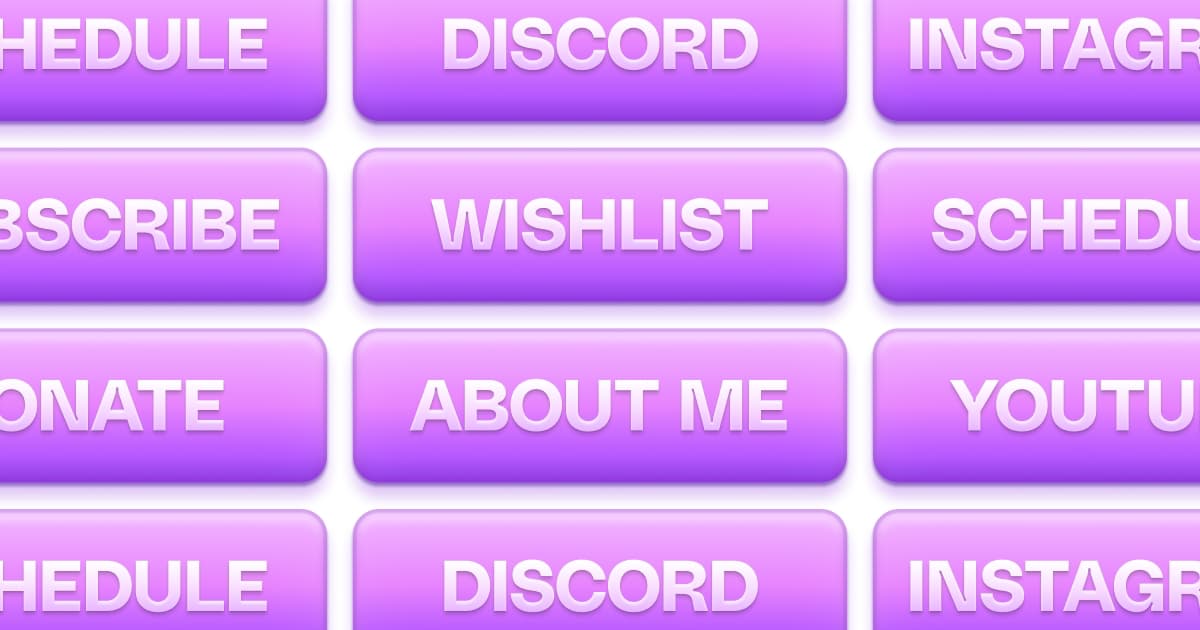
Free Twitch Panel Maker: Build a Full Set in 20 Minutes
A Twitch panel maker solves the two problems that make most streamers put panels off for months: getting the dimensions right, and making six or more images look like they belong to the same channel. The design part was never actually the hard part. The fiddly setup was.
This is the practical walkthrough: what a panel maker needs to do, how the free Twitch Panels editor in Pulz works step by step, and when a freeform tool like Canva is the better choice. If you are still deciding what panels to make, start with the stream panels guide for sizing and content, or the 20 panel ideas list for the menu.
What a good Twitch panel maker does
- Start at 320px wide. Twitch displays every panel 320 pixels wide. A tool that starts from that artboard removes the most common upload surprise: text that looked fine on a big canvas and turns unreadable at real size.
- Show the whole set together. Panels are read as a strip, not as individual images. If you design them one at a time in separate files, they drift apart - different padding, different font sizes, slightly different shades of the same color.
- Apply one style across everything. Changing your accent color should update six panels, not require six manual edits.
- Export sharp, transparent PNGs. Panels with a transparent background sit naturally on Twitch's dark theme, and a file exported at twice the display size keeps type crisp on high-density screens.
Making panels with Twitch Panels in Pulz
Twitch Panels is the free panel editor in the Pulz dashboard. It is the same canvas editor Pulz uses for OBS scenes, and it lays your whole set out in one column at the real 320px width, so what you see while editing is what viewers get.
- Pick a look in the template gallery.Browse 160+ panel sets in 14 styles - no account needed to look - and press Use template on one you like. A template dresses the whole set, not a single panel.
- Or start from the starter set.In the dashboard, open Twitch Panels under Stream. A new design starts with the six panels most channels run - About me, Socials, Rules, Discord, Schedule and Donate - already in your page theme.
- Edit each panel.Change the text, swap icons and adjust colors. Layers snap to edges and center lines, and any color or font you leave on the default follows your page theme.
- Download.A six-panel set downloads as one ZIP with a transparent PNG per panel; a single panel downloads as one PNG. Files come out at 2x, so a 320 x 160 panel is a 640 x 320 PNG.
- Upload them on Twitch.On your channel's About tab, switch on Edit Panels, add one image panel per file and paste its destination into Image Links To. Pulz cannot upload panels or set their links for you - see exporting a panel to Twitch.
How to make Twitch panels in Canva
- Create a design with a custom size of 640 x 320 px.That's 2x a 320 x 160 panel. Twitch shows panels 320px wide, so a 640px canvas keeps text sharp after scaling.
- Build every panel as a page of the same design.One design with six pages keeps fonts, colors and spacing identical. Six separate designs drift apart.
- Keep body text at 32px or larger on the 2x canvas.That is 16px once Twitch scales it, the practical minimum on a phone.
- Download all pages as PNG.On Canva's free plan the export keeps a solid background; transparent PNGs need Canva Pro. Design the background to sit well on Twitch's near-black page.
- Upload each PNG on Twitch with Edit Panels switched on, and add its link in Image Links To.
When Canva or Figma is the better tool
A dedicated panel maker is the fast path for the standard case: clean, consistent, text-and-icon panels. A freeform design tool wins when your panels are not the standard case:
- Illustrated or photographic panels. If your panels are built around commissioned art, mascots, or photos, you need freeform layering. Use Canva, Figma, or Photopea.
- Assets beyond panels. If you are building the full brand kit in one sitting - banner, overlays, social headers - one Figma or Canva project for everything keeps it coherent.
- Animated panels. Pulz exports PNGs. If you want motion, make a GIF in a tool that supports it.
- An existing PSD template. Photopea opens Photoshop files free in the browser. No reason to rebuild what you already own.
If you go freeform, set the canvas to 640px wide, design at double size and export the 2x PNG - Twitch scales it down to 320. Keep every panel in one project file so the set stays consistent.
| Pulz Twitch Panels | Canva | Figma | Photopea | |
|---|---|---|---|---|
| Starts at Twitch's 320px width | Yes | Set it yourself | Set it yourself | Set it yourself |
| Restyle the whole set at once | Yes, one template | Page by page | With shared styles | File by file |
| Ready-made panel designs | 160+ panel sets | General template library | Community files | Bring your own PSD |
| Transparent PNG for free | Yes | Canva Pro only | Yes | Yes |
| Export | 2x PNGs, one ZIP per set | PNG, JPG, GIF | PNG, JPG, SVG | PNG, JPG, GIF, PSD |
Mistakes that survive any tool
- Text too small. At 320px wide there is room for a title and a line or two. If you squint at your own panel at 100% zoom, viewers will too.
- Designing on white. A panel that looks crisp on a white artboard can wash out on Twitch's near-black dark theme. Preview it on dark before uploading.
- No link behind the panel. The image is half the job. A Socials or Donate panel without a clickable link behind it is decoration. Viewers will not copy-paste a handle from an image.
- One-off styling. A new panel added six months later in a different font undoes the set. Open the saved design, duplicate a panel, edit it and download again.
FAQ
Is there a free Twitch panel generator?
Yes. Twitch Panels in Pulz generates a full matching set from one of 160+ template sets: pick a look, rewrite the text and download every panel as a transparent PNG at the right size. Browsing the templates needs no account.
How do I make Twitch panels in Canva?
Create a 640 x 320 px design, add one page per panel so they stay consistent, keep body text at 32px or larger, and download all pages as PNG. Transparent backgrounds need Canva Pro; otherwise design a background that suits Twitch's dark page.
Is the Pulz panel maker really free?
Yes. Twitch Panels is part of every Pulz account, with no watermark and no export limit. There is no paid plan at all right now - pulz.bio is funded by its founder, and the tools are not gated.
What size does a panel maker export at?
Pulz designs on a 320px-wide artboard - the width Twitch displays - and exports at 2x, so a 320 x 160 panel downloads as a 640 x 320 PNG and Twitch scales it down. Templates with a glow or shadow add a little transparent room around each panel so the effect isn't cut off. Keep each file small: Twitch's current help text asks for under 1 MB, while older guides quote 2.9 MB.
Where do I add the link?
On Twitch. Switch on Edit Panels on your About tab, open the panel and paste the URL into "Image Links To". The link is not part of the image, so no panel maker can set it for you.
Do Twitch panels need a transparent background?
Not required, but transparent PNGs usually look better because they sit directly on Twitch's dark page instead of floating in a colored box. If your design uses a solid background on purpose, check it against the dark theme.
Can I make Twitch panels without Photoshop?
Yes - nobody needs Photoshop for panels anymore. Pulz's Twitch Panels, Canva and Photopea are all free and run in the browser. Photoshop only earns its cost if you already use it for other work.
Keep reading
How to Set Up and Change Your Twitch Schedule (2026)
Twitch's built-in schedule converts your times for every viewer and lets them set reminders. Here's how to set it up, change it and pause it, and what it can't do.
How to Make a Twitch Schedule People Follow (+ Free Makers)
The schedule is the easy part. Making one you can keep, and putting it where viewers actually look, is what turns visitors into regulars.
QR Codes for Streamers: Where They Work and Where They Flop
QR codes feel corporate until the first time someone at a convention asks how to find your channel and you watch them mistype your name.